
Use case · Ecommerce
The ad sold one offer. The visitor landed on the whole catalog.
Ecommerce ads are specific: an offer, a product angle, a deadline. The pages they land on are usually generic, because store themes are hard to change and every edit competes for a developer’s time. Tailor adapts your existing store pages per campaign, market, and device, right in the browser, and measures the result in purchases and revenue, not clicks.
It also runs store-wide, not page by page. Install the script, connect your ad accounts, and Tailor proposes campaign-to-page matches and improvements across every page your ads touch, builds them, tests them, and learns from what wins.
Last updated July 26, 2026
 Tailor AI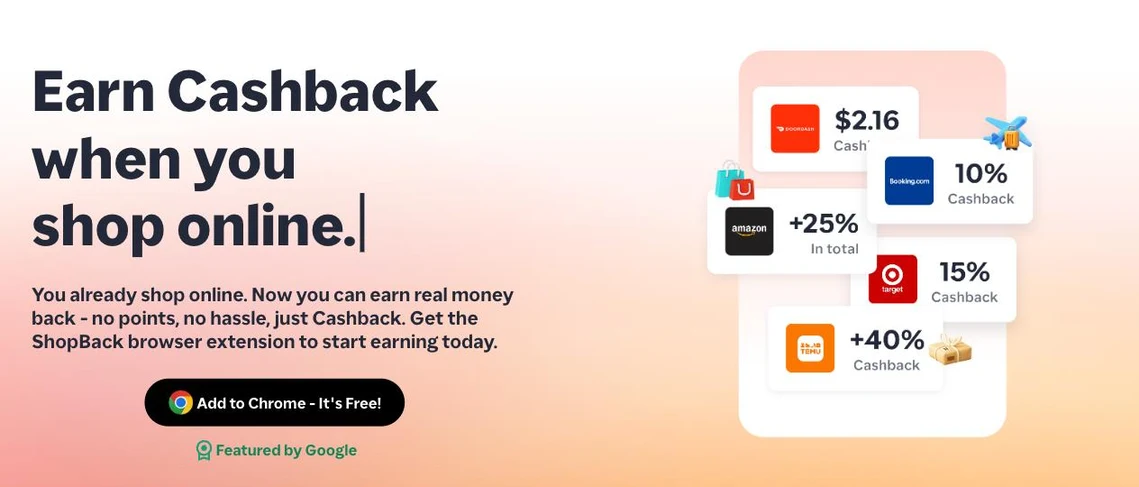
- Built for
- DTC brands and online stores running paid traffic, on Shopify or any storefront.
- Covers
- Campaign-to-page match, offer testing without theme edits, the automatic loop, revenue measurement, and what Tailor deliberately isn't.
Teams running Tailor






The problem
The theme is the bottleneck.
Every ecommerce team knows the plays: match the landing page to the ad’s offer, emphasize the product the campaign is about, adjust for the market and the device. The reason they don’t happen isn’t knowledge, it’s that store themes make page variants expensive. Duplicating templates for every campaign creates a maintenance problem; asking a developer for every promo banner creates a queue.
So the highest-spend campaigns land on pages built for everyone: the retargeting click sees the same page as the cold prospecting click, the sale campaign lands on a page that doesn’t mention the sale, and the German visitor reads English copy with USD prices.
Tailor removes the bottleneck: edit the live page in the browser, target the variant to a campaign, market, or device, and launch it as an experiment, without touching the theme or waiting on a developer.
Patterns
The ecommerce playbook
The patterns that come up most with stores running paid traffic, roughly in the order worth testing.
- Campaign-to-page offer match
- If the ad says "20% off first order," the landing page should too, above the fold, not buried in an announcement bar. Target by utm_campaign and mirror each campaign’s offer and angle in the hero. This is usually the first test worth running because it touches your highest spend.
- Promo and seasonal variants without theme edits
- Sales periods compress everything: more spend, more traffic, no developer time. Build the sale variant in the browser (banner, hero, urgency framing), target it to the sale campaigns, and revert instantly when the sale ends. The theme never changes.
- Market adaptation
- Adapt shipping promises, currency framing, offers, and social proof by country, and translate whole pages for non-English markets with page translation. A store’s conversion gap between its home market and everywhere else is often the cheapest revenue to recover.
- Device-specific emphasis
- Paid social traffic is overwhelmingly mobile. Test mobile-specific layouts: tighter heroes, sticky add-to-cart, compressed proof sections. Desktop search traffic can carry more detail.
- First-time vs. returning buyers
- Show first-order incentives only to new visitors, and lead returning customers with what's new or replenishment framing instead of an intro discount they can't use (or shouldn't see again).
Agentic marketing
The whole store improves, not one page at a time
The playbook above is what Tailor runs for you. With the script installed and your ad accounts connected, the loop covers every page your campaigns send traffic to.
- 1
Scan
Tailor reads your Google and Meta campaigns, spend, and the store pages they land on, and flags where the ad's offer and the page don't match.
- 2
Propose
A standing queue of upcoming tests, ranked by expected revenue impact: offer matches, seasonal variants, market adaptations, each with the page changes drafted and a before/after preview.
- 3
Build and launch
Tailor builds the variants without touching your theme. You approve, and each one goes live as an A/B test measured in purchases, or ramps to all traffic when a sale can't wait.
- 4
Learn and iterate
Revenue results feed the next round of proposals: winners spawn follow-ups, dismissed ideas stay gone, and new campaigns get caught as you launch them. Your store keeps improving between sales, not just during them.
See Test Ideas for how the queue works, and Tailor Agent for what the agent can build.
See what Tailor would test on your store
Free scan of your live ads and pages. No install, no meeting.
Measurement
Measured in revenue
Ecommerce is the easiest place to measure personalization honestly, because the conversion has a dollar value. Every variant runs as an A/B test measured on purchases and revenue per visitor. On Shopify, pick the purchase event as your goal and revenue is captured automatically through the store pixel, no store-side setup. On other storefronts, a code-based goal snippet in your purchase success handler carries revenue and order metadata.
Results connect back to ad spend: with your ad accounts connected, each test shows the extra revenue banked since launch per platform, matched to the campaigns sending traffic to that page, in your reporting currency.
Setup details: Shopify integration and conversion goals.
Scope
What Tailor deliberately isn't
- Not a product recommendation engine
- Tools like Dynamic Yield and Nosto pick which catalog items to show a shopper. Tailor adapts the page experience around your products per campaign and audience, and measures it with experiments. If you run a recommendation engine, Tailor complements it; it doesn't replace it.
- Not a page builder or theme editor
- Your store keeps its theme, CMS, and checkout. Tailor layers targeted variants on top of live pages and can remove them instantly. Search engines see the original page structure unchanged.
- Not a set-and-forget widget
- The value comes from the test-measure-iterate loop: match a campaign, measure revenue lift, roll out the winner, move to the next gap. Tailor's Test Ideas queue keeps that loop stocked automatically.
FAQ
Frequently asked questions
Yes. Install the Tailor script on your storefront (theme or GTM), and use the Shopify conversion goal type: pick the Shopify event in the goal editor and revenue is tracked automatically through the store pixel, with no Shopify-side setup. Non-Shopify stores use code-based goals, a snippet your team drops into the purchase success handler.
No, and it's not trying to be. Recommendation engines choose which catalog items to display. Tailor adapts the page experience around your products (headlines, offers, proof, banners, CTAs) per campaign and audience, and proves the revenue impact with per-segment A/B tests. Many stores run both.
Tailor loads asynchronously and is built to not affect Lighthouse scores. Search engines see your original page structure unchanged. See the performance and compatibility docs for specifics.
Yes. Add a promo banner, swap the hero offer, or change CTAs directly in the browser with the Tailor extension, targeted to a campaign, market, or device, without touching theme code or waiting on a developer.
No. With the script installed and your ad accounts connected, Tailor proposes campaign-to-page matches and page improvements across your store, builds the variants, and launches them as revenue-measured tests once you approve. Results feed the next round of proposals, so coverage grows with your campaigns instead of with your to-do list.
Revenue can be recorded in any currency. Set a destination reporting currency in Settings and daily FX conversion is applied, so a store selling in USD, EUR, and GBP still gets one comparable revenue number per experiment.
Start where paid intent is clearest: match your highest-spend campaign's landing page to its ad promise (offer, headline, product emphasis). Measure on purchases and revenue per visitor. Then expand to device and market segments.
Every campaign deserves its own storefront.
See what Tailor would change on your store's highest-spend pages.
ShopBack's marketing team specified a new homepage hero, Tailor built it in the browser, and CTA clicks came back 13% up in four days.
Read the ShopBack case study