
Feature
Know which page drives trials, revenue, and pipeline
Test tailored headlines, images, and CTAs per audience segment, then see the results in trial starts and revenue, in the same tool that shipped the test.
 Tailor AI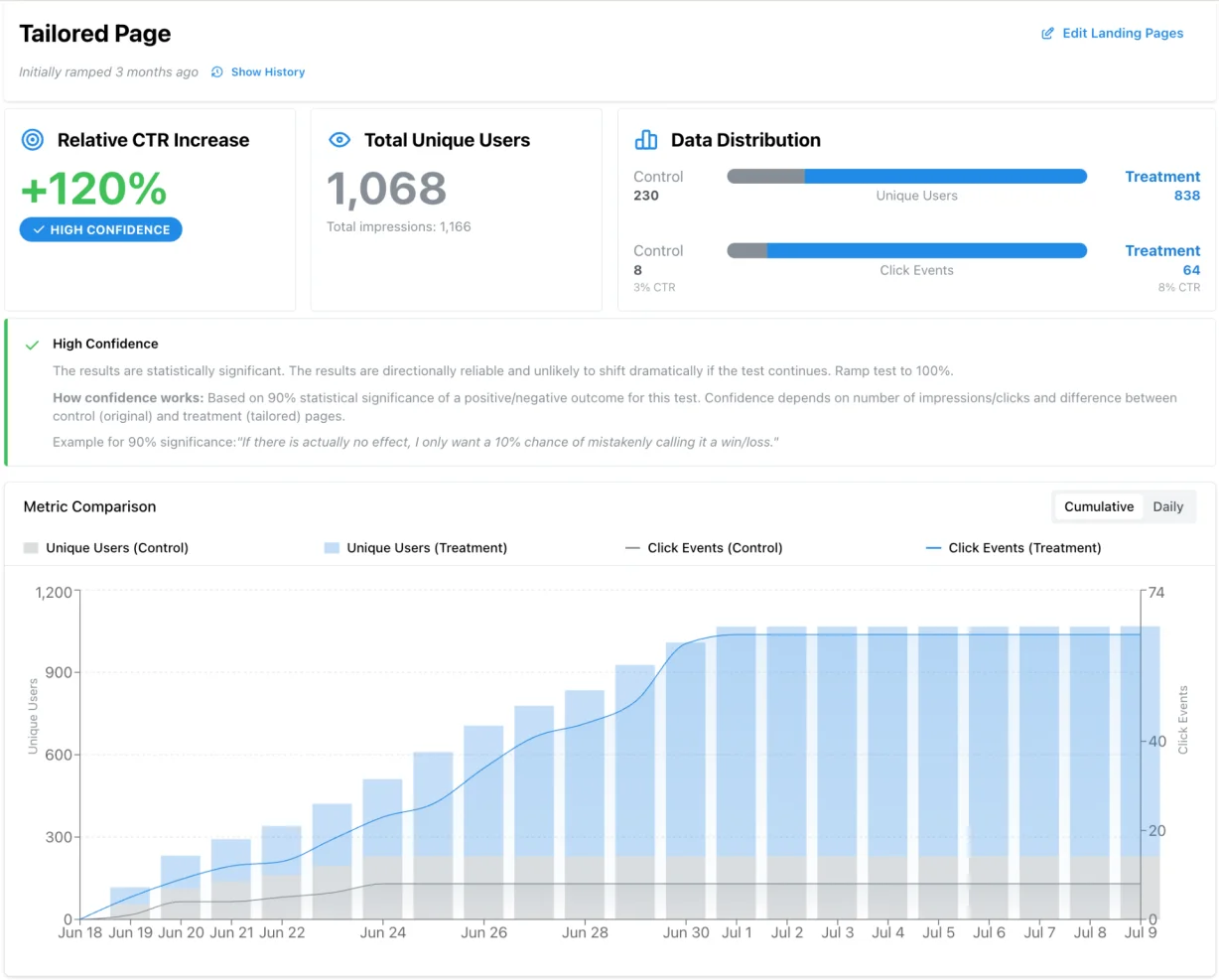
Teams running Tailor






What you get back
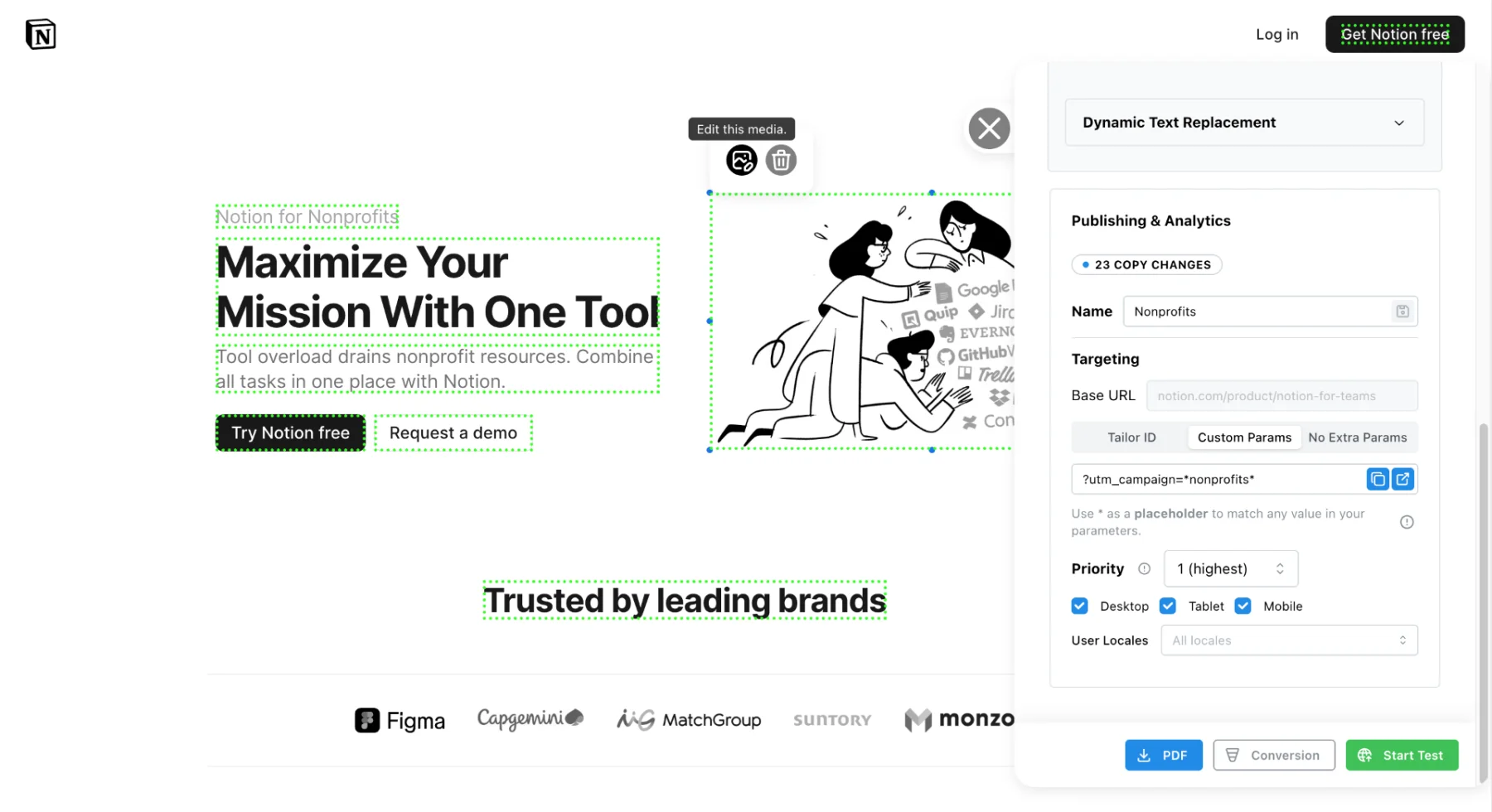
Run a headline test in minutes
No dev work. Just test it live.
See results in real time
Know which idea is winning while the campaign is still running.
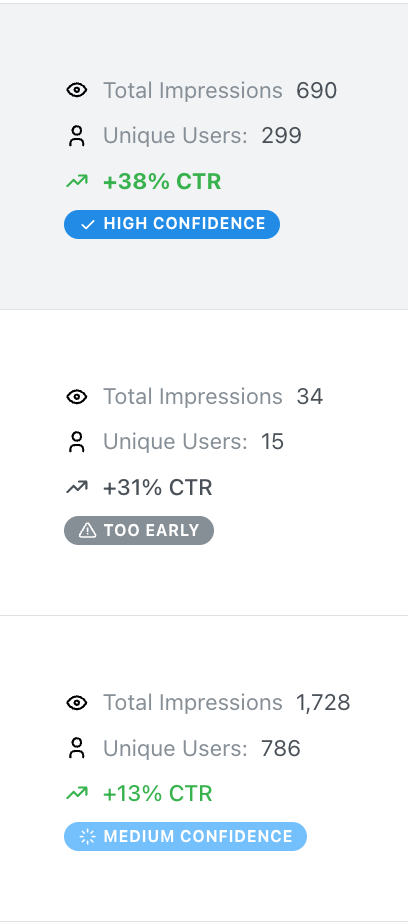
Judge variants on revenue
Results are reported against CAC, ROAS, and pipeline rather than click-through.
Built-in testing and real-time alerts, no setup needed
- Launch tests in seconds, not weeks
- See which ideas win in real time
- Connect results to trial starts, revenue, and pipeline
- Get alerted in Slack or email when performance shifts, before CAC creeps up
The part customers mention most in feedback calls is that the analytics is already in the tool, so checking whether a test worked doesn’t mean opening another one.
“Now I can do in 5 minutes what used to take me like 3 hours.”
Our answer: reading results is built in: per-segment dashboards and Tailor Agent answer in plain language, with the same numbers your dashboards show. No analyst queue.
Loads async after page render. Designed to minimize impact on your Lighthouse score and preserve SEO. Search engines see your original page.
See it on your own pages
Run one real test on one real page and check the numbers yourself.
Book a demoPDF Expert raised click-through 43% by matching its landing pages to the SEM keyword behind each visit.
Read the PDF Expert case study