
Feature
AI Image Tailoring
Swap or generate images per segment, driven by the ad, keyword, device, or enriched company behind the visit. Pull from your library or generate on the fly, and test each variant like any other page change.
 Tailor AI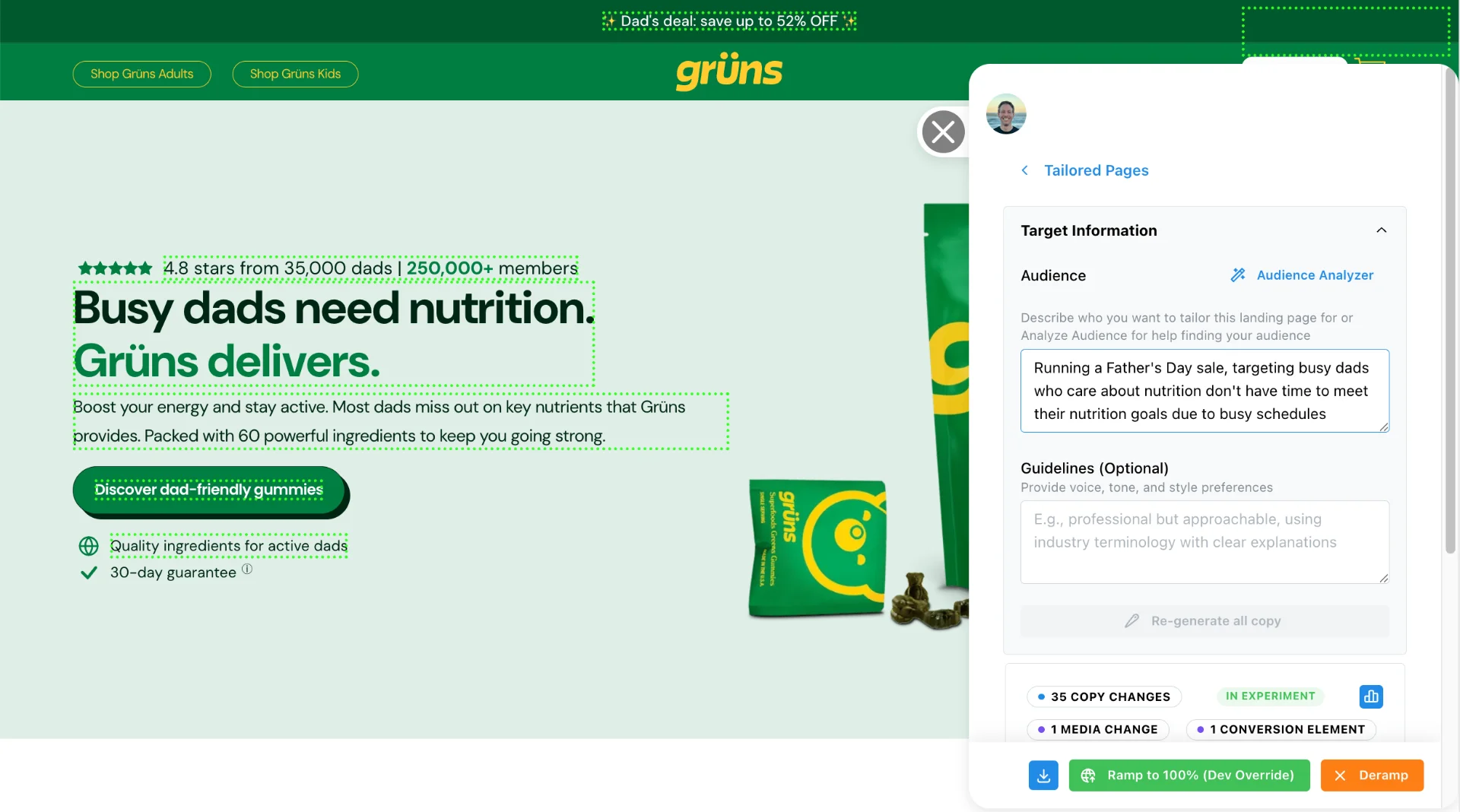
Teams running Tailor





What you can change
- Swap the image per segment
- The hero image a visitor sees follows the campaign that brought them, without a designer in the loop.
- Generate on-brand options
- Generated images follow your brand colors and style, so variants don't look bolted on.
- Test them like anything else
- Image variants run as per-segment A/B tests, the same as headline and CTA changes.
Your existing assets work here too
Most image variants start from assets you already have, not from a blank generation prompt.
- Use your existing library
- Connect your image libraries and brand assets and pull from them when building variants.
- Auto-crop to fit
- Images are cropped and resized to the slot they're going into.
- Remove baked-in text
- Strip outdated text from existing assets so they can be reused for new campaigns.
See it on your pages
Match the imagery to the campaign that brought the visitor, on the pages you already have.
Book a demoPropertyGuru raised click-through 69% on its guide pages by changing what sits above the fold.
Read the PropertyGuru case study